This is how you delete a patient or set them to inactive if they have passed away, or if the patient asks to be forgotten or deleted.
Open the patient details and go to the Advanced tab.
Click the tab [Advanced]. At the bottom, you can set a patient to inactive, have them forgotten, delete them, or mark them as deceased.
A patient set to inactive can no longer be found using the search function. You can still find and open the patient in the patient hub. The patient will no longer receive communications from the practice.
Under GDPR legislation, a patient can ask the practice to forget them. This means that all medical notes relating to the patient will be deleted. However, the financial information will remain accessible for financial reporting. Please note: this action cannot be undone.
A patient marked as deceased will no longer receive communications.
If you delete the patient, all patient details will be removed from the financial reports, and the patient will no longer receive communications from the practice. As long as you have an active license, Crossuite does not automatically delete patient details. You can delete the details yourself. When the license is terminated, Crossuite provides a full export of all data. The data is deleted from Crossuite three months after termination.
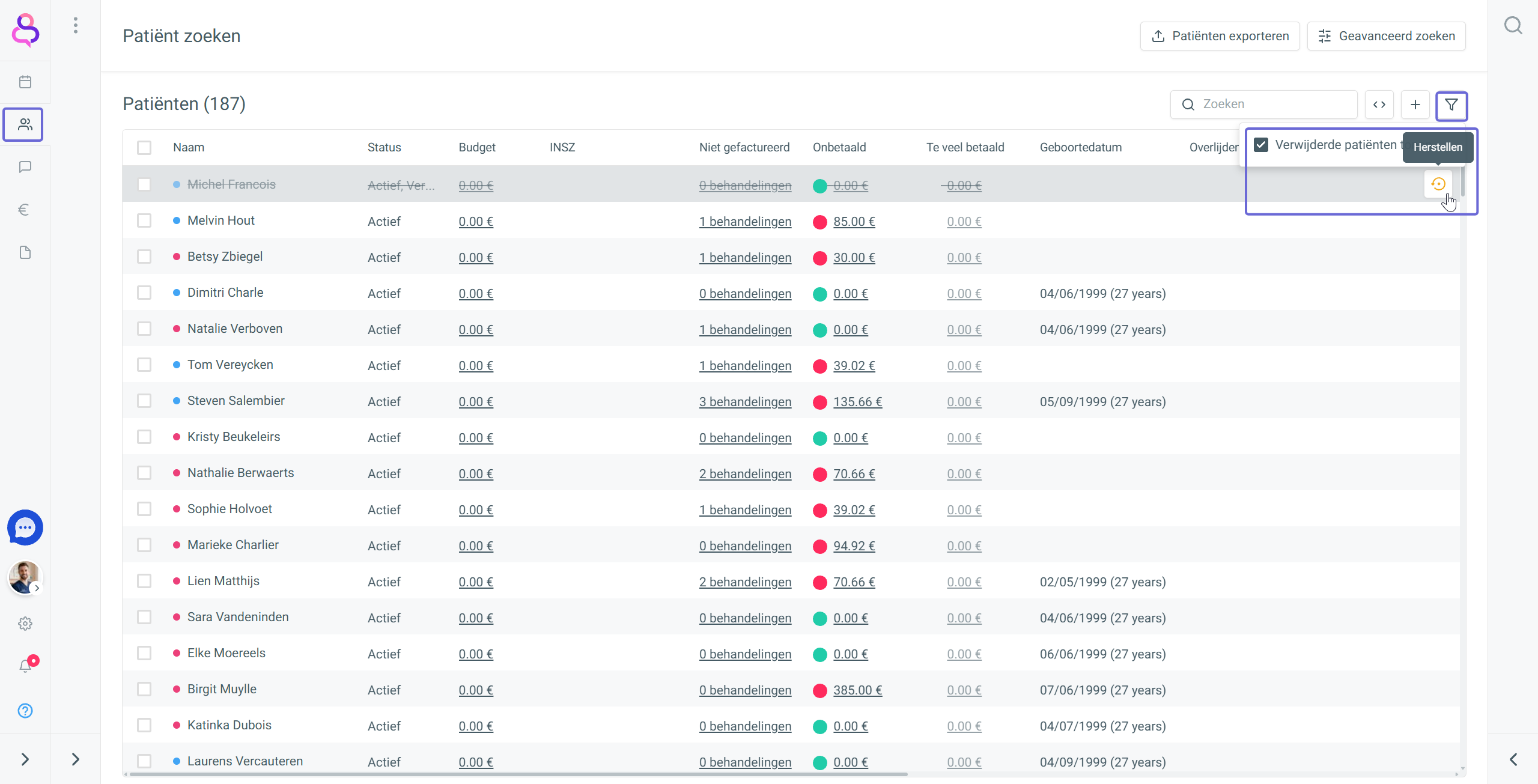
You can restore a deleted patient via the patient list. Use the filter icon in the top right and select the option ‘Show deleted patients’, then click [Restore] for the relevant patient.