Do you want to start using eFact? Then make sure the following items are in order:
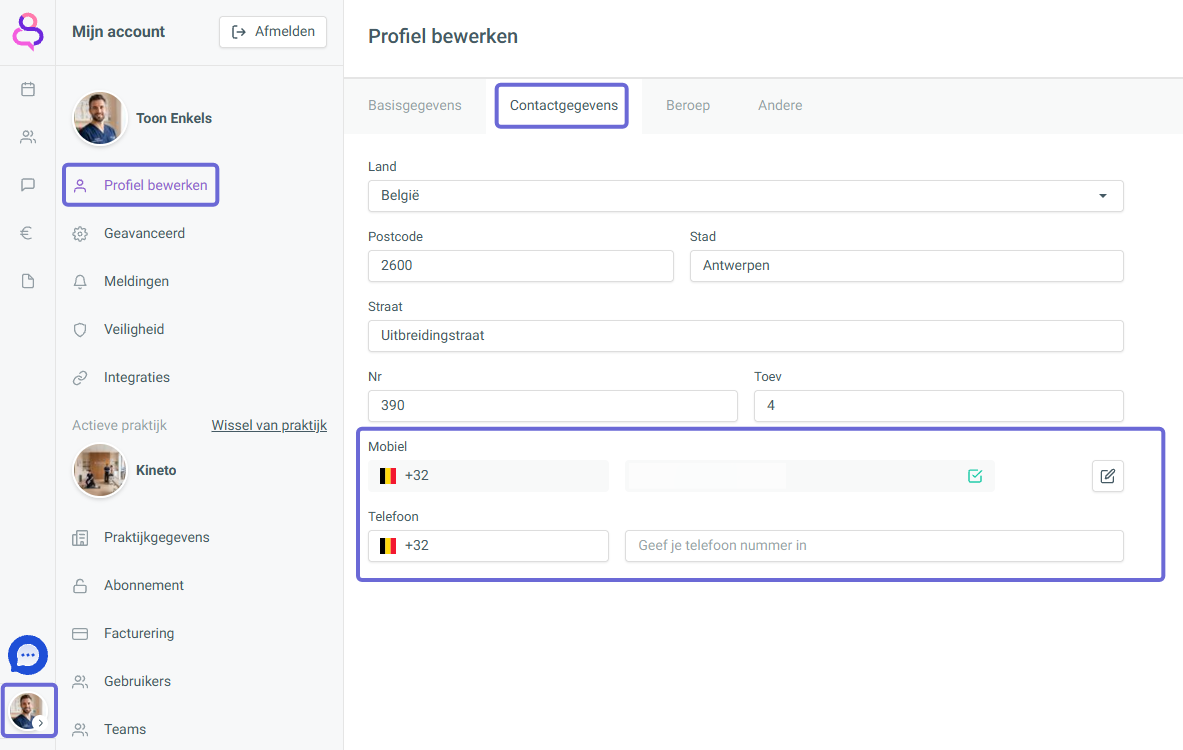
Make sure your phone number is filled in correctly in your profile.
The number entered under ‘Cellphone’ always takes priority over the one under ‘Phone’.
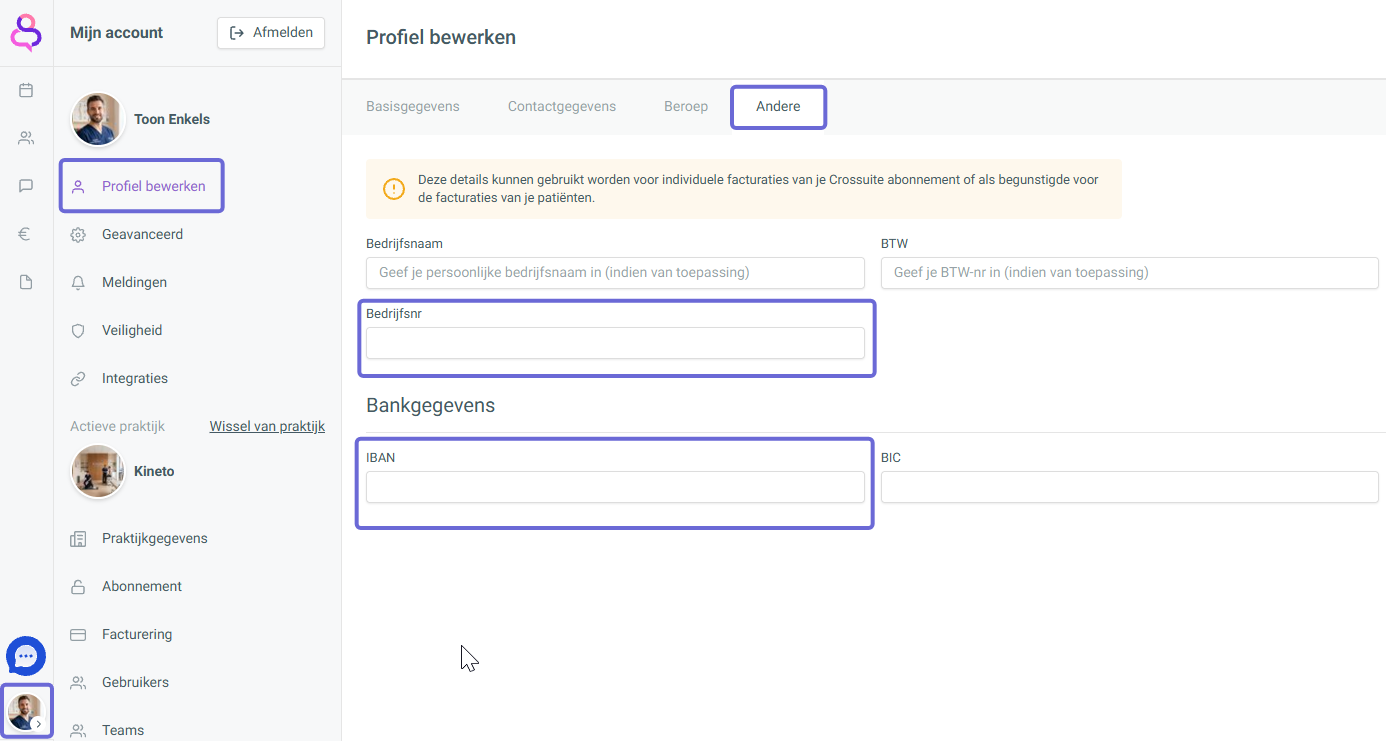
Make sure your IBAN and enterprise number (KBO) are filled in correctly.
Your personal IBAN or enterprise number takes priority over that of the practice.
If you haven't entered a personal one, the practice's details are used automatically.
⚠ IBAN: don't use spaces or dots, but do start with BE
⚠ Enterprise number (KBO): don't use spaces, dots or BE in front of the number